Security & Compliance · DevSecOps
A DevSecOps Pipeline in GitHub Actions: Checkov, Trivy, Gitleaks and More

TL;DR
- Run checks in order of cost: secrets first (Gitleaks), then infrastructure code (Checkov, tfsec or Trivy), then dependencies and container images (Trivy), and cloud posture (Prowler) on a schedule.
- Block the merge only for leaked secrets and serious findings that have a fix. Warn on the rest. A gate that blocks on everything gets turned off.
- Send results as SARIF to GitHub code scanning, so findings live next to the code, not in a log nobody reads.
- Our open source github-shared-workflows already has reusable workflows for Gitleaks, Checkov, tfsec, Trivy and Prowler.
Most teams we meet already have some security scanning in CI. Usually it is one scanner, added after an audit question, set to "warn only", with a few hundred findings that nobody has opened in months. That is not DevSecOps. It is a log file.
This post is the practical version, for teams of 20 to 200 people on GitHub Actions: which check runs where, which ones should block a merge, how to keep the pipeline fast, and where the results should go. In our ArgoCD and GitHub Actions post we showed how code gets built and shipped. This is the security layer on top of that pipeline.
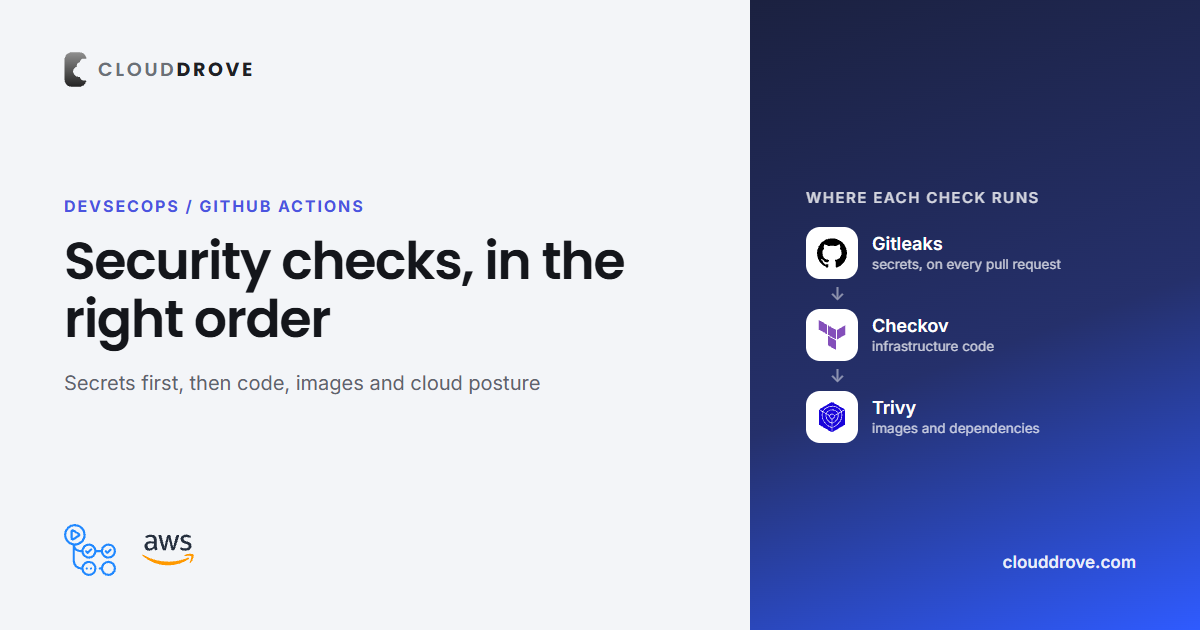
The order: cheap and important checks first
Put the fastest checks, and the ones you will never ignore, at the front. If a pull request leaks a cloud key, you want to know in seconds, not after a ten minute image build.
Secrets
Gitleaks scans the pull request for passwords, API keys and tokens. Runs first, takes seconds.

Infrastructure code
Checkov, tfsec or Trivy reads your Terraform, Kubernetes and Helm files for risky settings, before anything is built.
Dependencies
Trivy or Snyk checks the libraries your app uses for known vulnerabilities (CVEs, the public list of known security bugs).

Container image
After the image is built, Trivy scans it for vulnerable OS packages and libraries before it is pushed.

Results to GitHub
Every scanner writes SARIF. GitHub code scanning shows the findings next to the code.
Cloud posture
On a schedule, Prowler checks the live cloud account. This catches changes made outside the pipeline.
Steps 1 to 4 look at code in the pull request. Step 6 is different: it looks at what is really running in your account. You need both, because not every change goes through a pull request.
What each tool checks
All of these are free and open source tools. Here is what each one does, from its own documentation.
Finds passwords, API keys and tokens in Git history, files or piped input. Writes JSON, CSV, JUnit or SARIF. Supports a baseline so old findings stay quiet. The project now calls itself feature complete and gets security fixes only. Note: the Gitleaks GitHub Action needs a license key for organization accounts.
Scans Terraform, CloudFormation, ARM, Serverless, Helm, Kubernetes and Dockerfiles. Comes with more than 750 built-in policies. Has clear soft fail and hard fail options, so you choose what breaks the build.
tfsecTerraformA Terraform security scanner. Its project page now says "tfsec is now part of Trivy". It still works, but new effort goes into Trivy. Fine to keep if you have it, but for a new pipeline we would pick Checkov or Trivy.
TrivyImages, deps, IaCScans container images, file systems, Git repositories, VM images and Kubernetes. Finds known vulnerabilities, misconfigurations, secrets and licenses, and can make an SBOM (a list of every package inside).
Checks live accounts on AWS, Azure, GCP, Kubernetes and more against frameworks like CIS, SOC 2, ISO 27001, HIPAA and PCI DSS. You run it as prowler aws, prowler gcp and so on.
You do not need all of them on day one. Secrets plus one infrastructure scanner plus image scanning covers most of the risk for a typical SaaS team.
Block the merge or just warn?
This is where most setups go wrong. Block on everything, and engineers learn to bypass the check. Block on nothing, and the findings pile up forever. Our rule: block only on findings you will always fix, and make everything else visible.
| Check | When it runs | What it does | Why |
|---|---|---|---|
| Secrets | Every pull request | Always block | A leaked key must be rotated. There is no "fix later". |
| Infrastructure code | Pull requests that touch IaC | Block high, warn rest | Public buckets or open security groups are cheap to fix before apply. |
| Dependencies | Pull requests, plus nightly | Block critical with a fix | New CVEs appear daily. Block only when an upgrade exists. |
| Container image | After build, before push | Warn first, then block | Start with a report, fix the base image, then turn on the gate. |
| Cloud posture | Nightly or weekly | Report to owner | It checks the account, not the pull request, so it cannot block one. |
The tools support this directly. Checkov's --hard-fail-on fails the run only for checks at or above a severity you choose, and --soft-fail-on turns lower ones into warnings. In the Trivy GitHub Action, exit-code decides whether findings fail the step (the default is 0, so it passes), and severity and ignore-unfixed narrow it to serious issues that have a fix:
# block only on HIGH or CRITICAL issues that have a fix
      - uses: aquasecurity/[email protected]  # pin to a commit SHA in real use
        with:
          image-ref: app:${{ github.sha }}
          severity: HIGH,CRITICAL
          ignore-unfixed: true
          exit-code: 1
Tip: run every new gate in warn mode for two weeks first. Fix the real issues, suppress the false ones with a reason, then make it blocking.
Keep the pipeline fast
Security checks that add ten minutes to every pull request will not survive. Four things keep them quick:
Run checks in parallel
Secrets, IaC and dependency scans do not depend on each other. Run them as separate jobs at the same time. Only the image scan has to wait for the build.
Scan what changed
Run the Terraform scan only when infrastructure folders change. A frontend copy fix does not need an IaC scan.
Move heavy scans to a schedule
A full repository history scan or a full cloud posture scan can run nightly. Pull requests get the quick, focused version.
Pin your actions
Pin third party actions to a full commit SHA, not a moving tag. Security tools run with access to your code, so treat them as part of your supply chain.
Keep findings useful, not noisy
Noise is the real enemy. When half the findings are false or not relevant, people stop reading all of them. Each tool gives you a way to say "we know about this one":
Baseline the past
Gitleaks can take a baseline report and ignore findings already in it, so the pull request shows only new leaks. Clean up the old ones as a separate task.
Suppress with a reason
Use .gitleaksignore, Checkov's skip list or a .trivyignore file. Every line gets a comment: why, who decided, and when to look again.
Filter by severity and fix
Show critical and high in the pull request. Keep medium and low in the dashboard. Hide CVEs with no fix available from the gate.
Give every finding an owner
A finding with no owner is a finding nobody fixes. Route infrastructure findings to the platform team and dependency findings to the service team.
Where results go: SARIF and GitHub code scanning
A standard file format for scanner results. Gitleaks, Checkov, tfsec, Trivy and Prowler can all produce it. GitHub code scanning reads it from any third party tool.
Upload the file with the github/codeql-action/upload-sarif action. The job needs the security-events: write permission. If you upload more than one SARIF file for the same tool in one workflow, give each a category, otherwise the run fails. Add if: always() to the upload step, so results are uploaded even when the scan step failed the build.
One cost note: on private repositories, code scanning needs a GitHub Code Security license. If you do not have one, keep the SARIF file as a build artifact and post a short summary as a pull request comment instead.
Using our shared workflows
We keep this setup in our open source github-shared-workflows repository (Apache 2.0, 40+ reusable workflows). The security ones are: a Gitleaks pull request scan; a Checkov scan that uploads SARIF, comments on the pull request and fails it when issues are found; a tfsec scan with SARIF upload and pull request comments; a Docker scanner that runs Trivy on the built image, with optional SARIF upload and an optional blocking step by severity; Docker Scout to compare an image against an older tag; and a Prowler workflow for AWS, GCP and Azure that saves the report as a build artifact. A caller workflow is short:
# .github/workflows/security.yml
name: security
on:
  pull_request:

jobs:
  gitleaks:
    uses: clouddrove/github-shared-workflows/.github/workflows/pr-gitleaks-scan.yml@v2
    secrets: inherit

  checkov:
    needs: gitleaks          # secrets first
    permissions:
      contents: read
      security-events: write  # for the SARIF upload
      actions: read
      pull-requests: write    # for the PR comment
    uses: clouddrove/github-shared-workflows/.github/workflows/security-checkov.yml@v2
    with:
      directory: './infra'
      continue_on_error: 'true'
Fix a scanner step once in the shared repository, and every repository that calls it gets the fix.
A short checklist
- Secret scanning runs on every pull request and blocks on any finding.
- Infrastructure code is scanned before terraform apply, not after.
- Images are scanned after build and before push to the registry.
- Each gate has a written rule: what blocks, what only warns.
- Every suppression has a reason, an owner and a review date.
- All scanners write SARIF and results land in one place.
- A cloud posture scan runs on a schedule and someone reads it.
- Third party actions are pinned to a commit SHA.
If you are getting ready for an audit, these logs are also evidence. Our SOC 2 readiness checklist shows where pipeline checks fit in. And pipeline scanning does not replace a real review of the running system; we explain the difference in security audit vs penetration test.
Quick answers
Which security scan should run first in a CI pipeline?
Secret scanning, for example with Gitleaks. It is fast, and a leaked key is the one finding you must stop before the code is merged, because once a secret is in Git history you have to rotate it, not just delete it.
Should security scans block the merge or only warn?
Block on a short list of things you will always fix: leaked secrets, and high or critical findings that have a fix available. Warn on everything else and review it on a schedule. A gate that blocks on every low finding gets switched off within weeks.
Is tfsec still maintained?
The tfsec project says it is now part of Trivy. tfsec stays available for now, but the maintainers put their effort into Trivy, which now covers the same infrastructure as code checks. New pipelines can use Trivy or Checkov for Terraform scanning.
Where should security scan results go in GitHub?
Most scanners can write SARIF, a standard result format. You upload it with the github/codeql-action/upload-sarif action, and the findings show up in GitHub code scanning next to your code. The job needs the security-events: write permission. Private repositories need a GitHub Code Security license for code scanning.
Do we need Prowler on every pull request?
No. Prowler checks your live cloud account, not the code in the pull request. Run it on a schedule, for example every night or every week, and send the report to the team that owns the account.
Sources
- clouddrove/github-shared-workflows on GitHubREADME, workflow files (pr-gitleaks-scan, security-checkov, security-tfsec, docker-scanner, docker-scout, security-prowler) and their docs, used for what our workflows really do and the caller example.
- Gitleaks READMEWhat Gitleaks detects, report formats including SARIF, baseline and .gitleaksignore, and the "feature complete" notice.
- Gitleaks GitHub ActionGITLEAKS_LICENSE required for organization accounts, SARIF artifact upload.
- What is Checkov?, Checkov documentationSupported frameworks and more than 750 built-in policies.
- Hard and soft fail, Checkov documentation--soft-fail, --soft-fail-on and --hard-fail-on behaviour by severity.
- tfsec README"tfsec is now part of Trivy" and its continued availability.
- Trivy READMEScan targets and scanners (vulnerabilities, misconfigurations, secrets, licenses, SBOM).
- Trivy GitHub Actionexit-code (default 0), severity, ignore-unfixed and trivyignores inputs, SARIF upload example with if: always().
- Prowler READMESupported providers, compliance frameworks and the prowler <provider> command.
- Uploading a SARIF file to GitHub, GitHub Docsupload-sarif action, security-events: write permission, category rule for multiple uploads.
- About code scanning, GitHub DocsThird party SARIF tools are supported; private repositories need a GitHub Code Security license.